HTML和CSS
HTML
超文本标记语言,文字,图片音频,动画等,都属于超文本语言
使用phpstorm,创建一个html文件
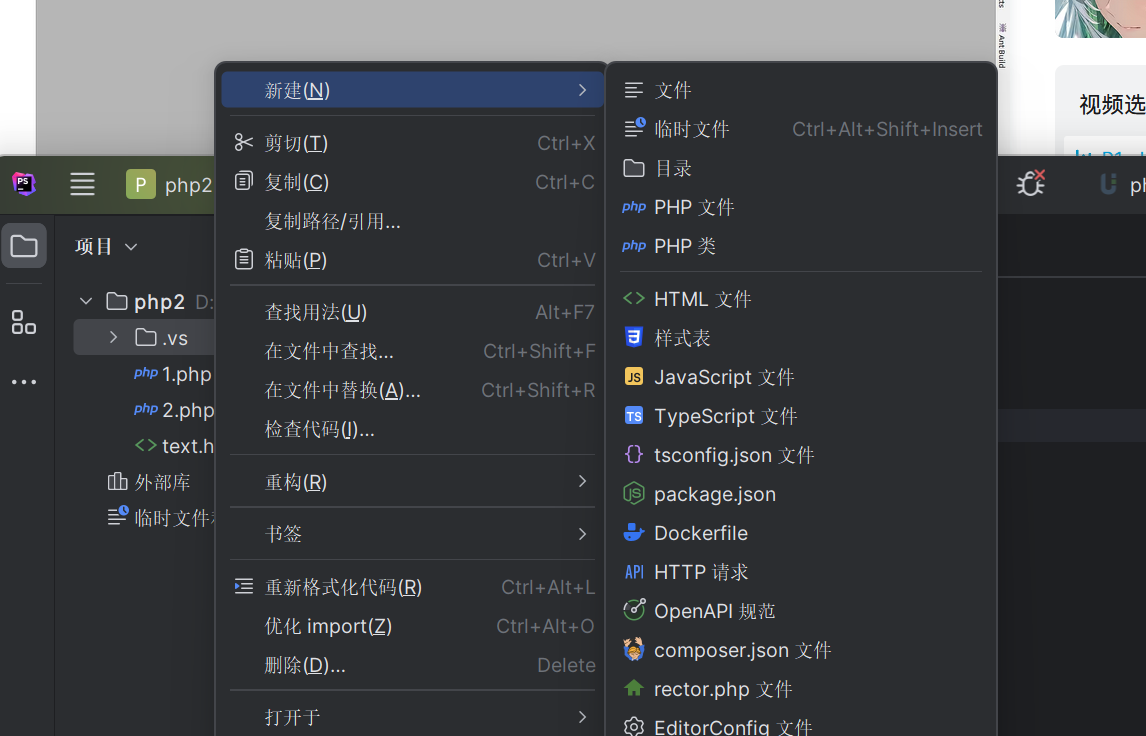
只有一个的标签叫自闭合标签
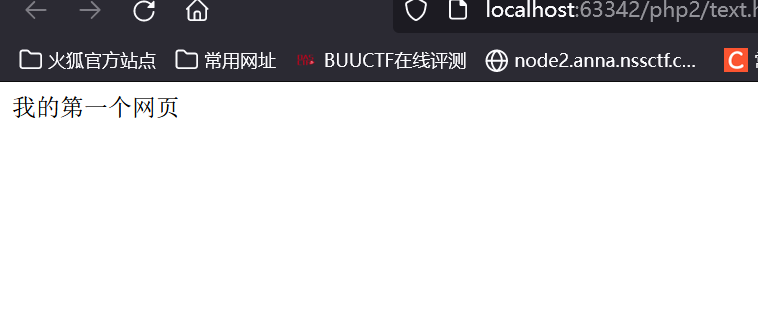
网页标签
//数字一到六,对应各级标签
//段落标签
//自闭合标签,换行
段落两行间距会比换行大
//水平线标签
粗体标签
斜体标签
元素经常与 CSS 一起使用,用来布局网页。
//空格的写法
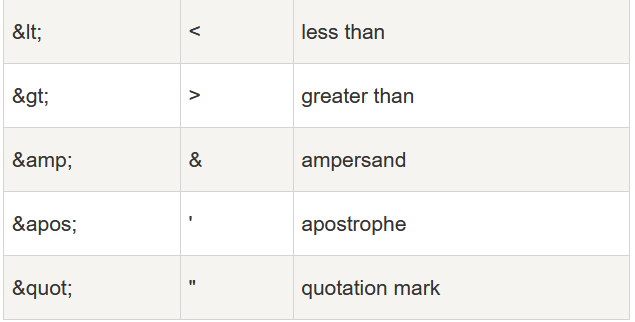
©//版权所有符
特殊的转义字符,其他的随用随找
HTML 链接
HTML 链接是通过标签 来定义的。
1
| <a href="https://www.runoob.com">这是一个链接</a>
|
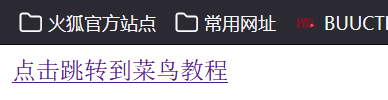
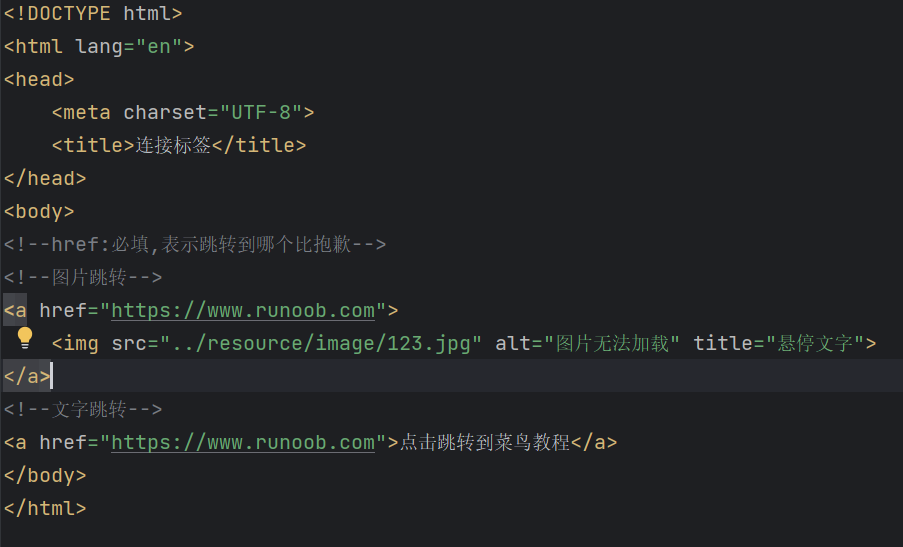
还可以嵌套一个文件
target,表示窗口在哪里打开
- _blank,在一个新标签打开
- _self,在本窗口打开,默认
邮件链接
1
| <a href="mailto:2589107567@qq.com">点击联系我</a>
|
锚链接
首先a标签创建一个标记,再一个a标签
1
2
3
| <a href="" id="top">顶部</a>
<a href="#top">回到顶部</a>
|
还可以实现页面间的跳转后定位到信息
HTML 图像
HTML 图像是通过标签 ![]() 来定义的.
来定义的.
1
| <img decoding="async"src="/images/logo.png"width="258"height="39"/>
|
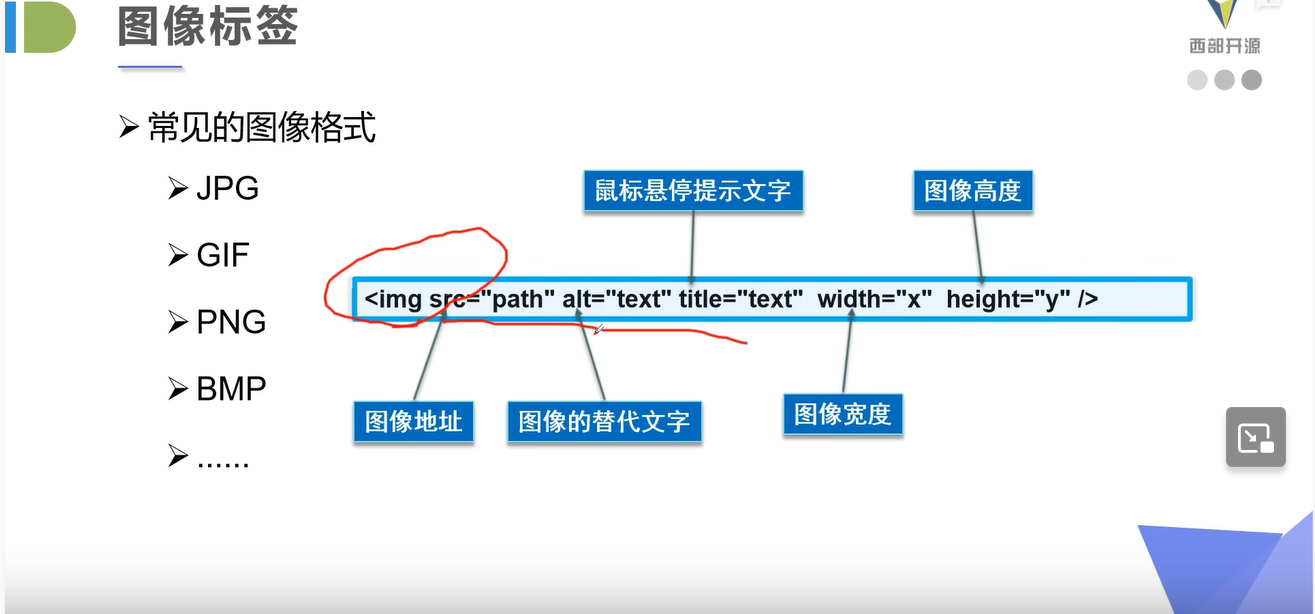
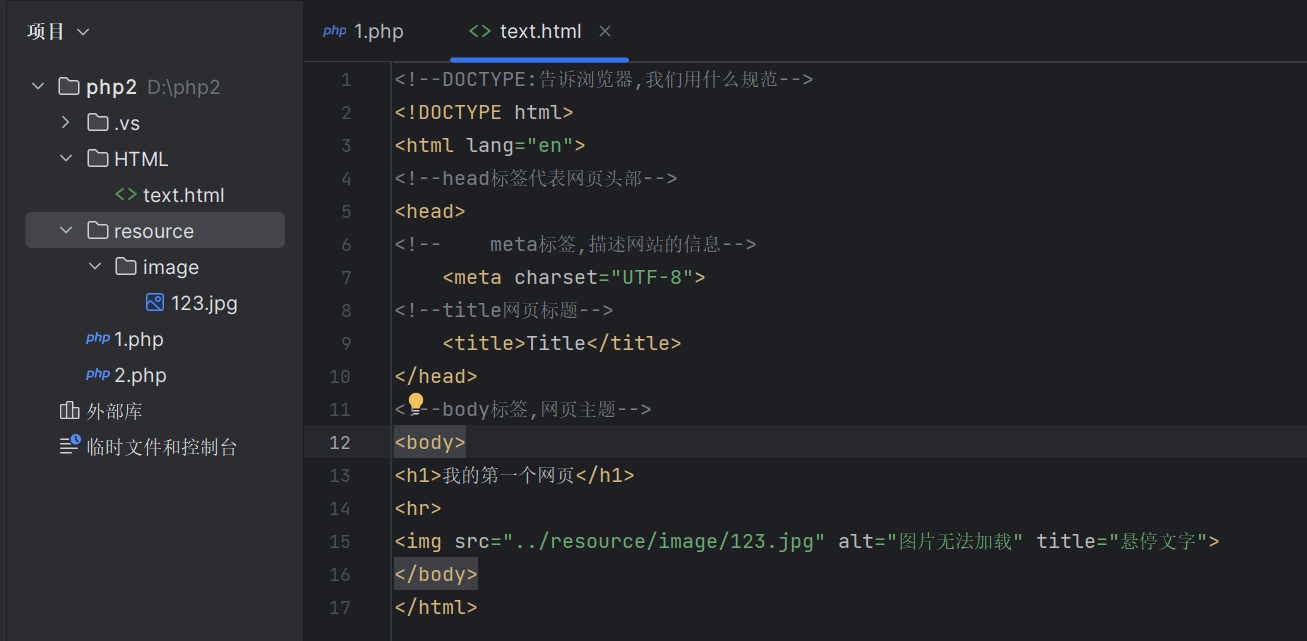
src:图片地址,相对地址和绝对地址
实现效果
元素
块元素:无论内容多少,单独一行,段落标签之类
行内元素:内容撑开宽度,左右都是行内元素的都在一行
列表
1
2
3
4
5
6
7
8
9
10
11
12
13
14
15
16
17
18
19
20
21
22
23
24
25
26
27
28
| <!--有序列表-->
<ol>
<li>hello</li>
<li>你好</li>
</ol>
<br>
<!--无序列表-->
<ul>
<li>哈哈哈</li>
<li>好好好</li>
</ul>
<!--自定义
dl标签
dt:列表名称
dd:列表内容
-->
<dl>
<dt>学科</dt>
<dd>语文</dd>
<dd>英语</dd>
<dd>数学</dd>
<dt>成绩</dt>
<dd>98</dd>
<dd>100</dd>
<dd>92</dd>
</dl>
|
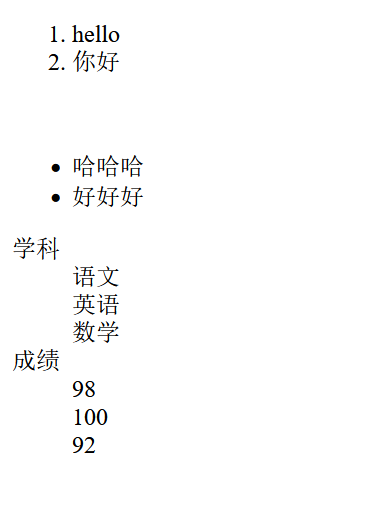
实现效果
表格标签
1
2
3
4
5
6
7
8
9
10
11
12
13
14
15
16
17
18
19
20
21
22
23
24
25
26
27
28
29
| <h4>一列:</h4>
<table border="1">
<tr>
<td>100</td>
</tr>
</table>
<h4>一行三列:</h4>
<table border="1">
<tr>
<td>100</td>
<td>200</td>
<td>300</td>
</tr>
</table>
<h4>两行三列:</h4>
<table border="1">
<tr>
<td>100</td>
<td>200</td>
<td>300</td>
</tr>
<tr>
<td>400</td>
<td>500</td>
<td>600</td>
</tr>
</table>
|
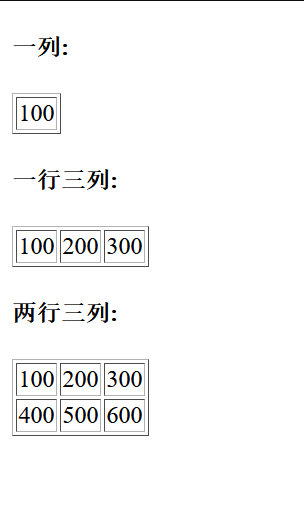
border边框属性已被废弃,但是用也还能用,实现效果
表头,会居中处理
1
2
3
4
5
6
7
8
9
10
11
12
13
14
15
16
17
18
| <table border="1">
<tr>
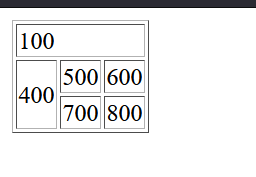
<!-- colspan跨列-->
<td colspan="3">100</td>
</tr>
<tr>
<!-- rowspon跨行 -->
<td rowspan="3">400</td>
<td>500</td>
<td>600</td>
</tr>
<tr>
<td>700</td>
<td>800</td>
</tr>
</table>
|
视频音频1
2
3
4
5
6
7
8
9
10
11
| <!--视频
controls 控制进度条
autoplay 自动波放,但是现在好型被弃用了
-->
<video src="../resource/vedio/2.mp4" controls autoplay="autoplay"></video>
<!--音频
-->
<audio src="../resource/audio/新录音%201.m4a" controls></audio>
|
页面结构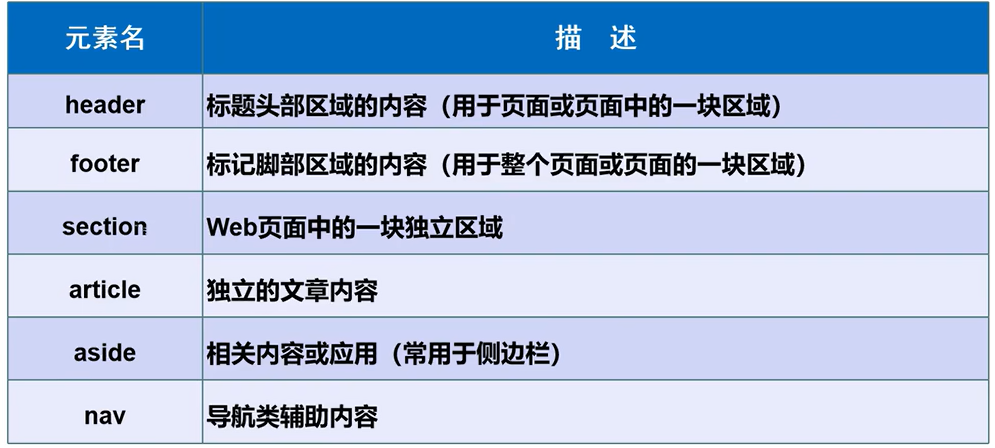
1
2
3
4
5
6
| <header>
<h2>网页头部</h2>
</header>
<section><h2>网业主体</h2></section>
<footer><h2>页脚</h2></footer>
|
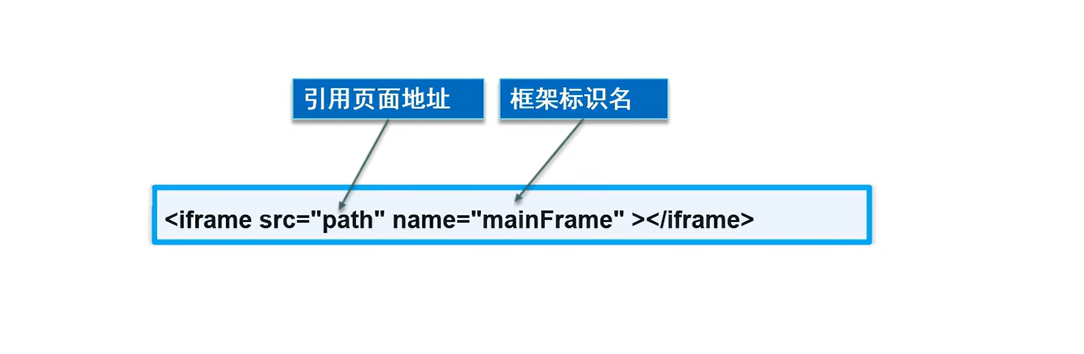
iframe内联框架1
2
3
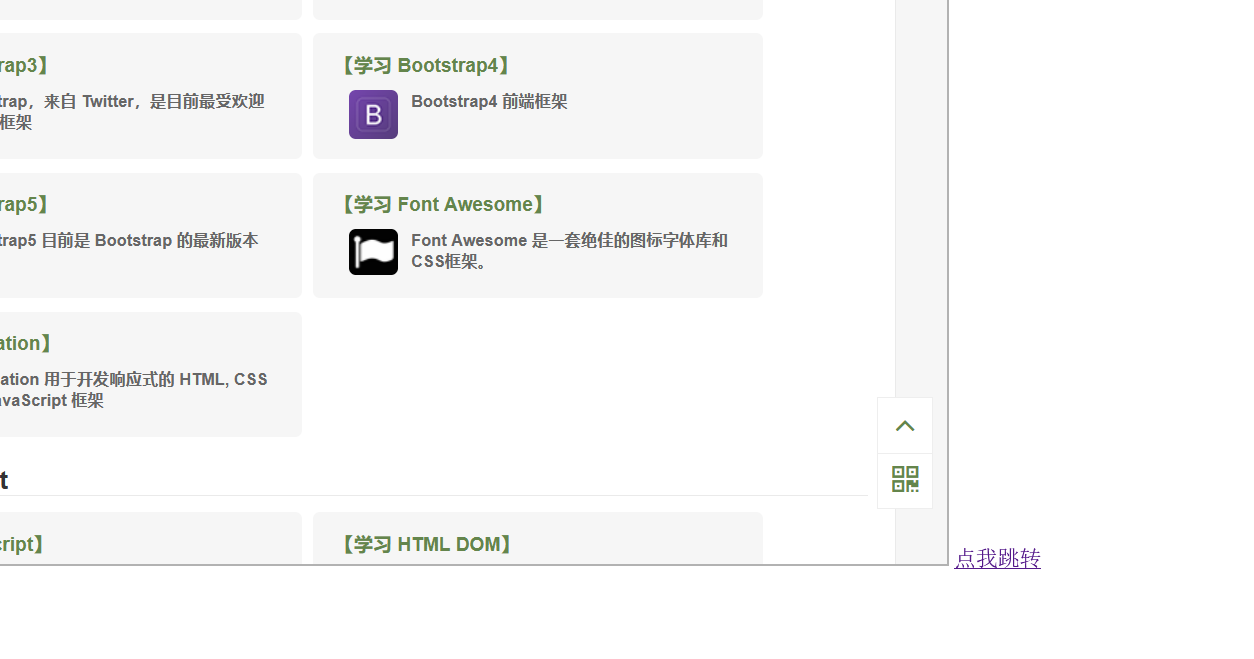
| <iframe src="" name="hello" width="1000" height="800"></iframe>
<a href="https://www.runoob.com" target="hello">点我跳转</a>
|
实现效果
表单语法from表单
1
2
3
4
5
6
7
8
9
10
11
12
13
14
15
16
| <h1>注册</h1>
<!--表单form
action:表单提交位置,请求处理地址,或者网站
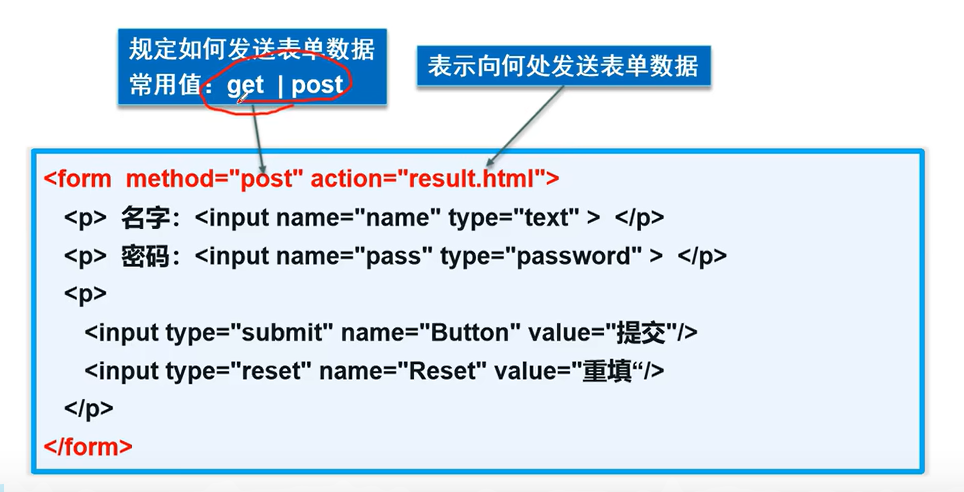
method:提交方式
-->
<form action="text.html" method="get">
<!-- 文本输入框:-->
<p>名字: <input type="text" name="username"></input> </p>
<!-- 密码框-->
<p>密码: <input type="password" name="password"></p>
<!--提交-->
<p>
<input type="submit">
<input type="reset">
</p>
</form>
|
实现效果
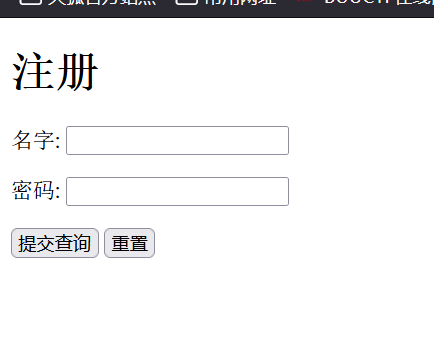
点击提交查询后,就会跳转到之前创建的text.html页面,并且可以在url上看到username和password的值
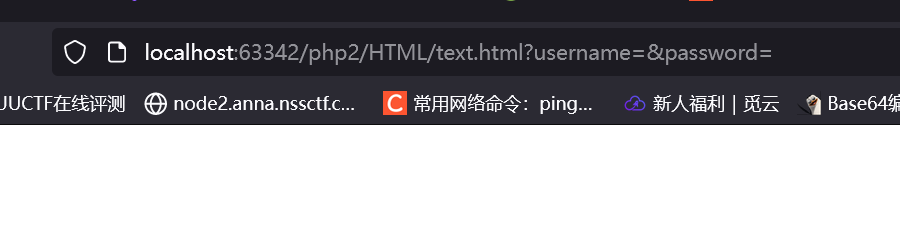
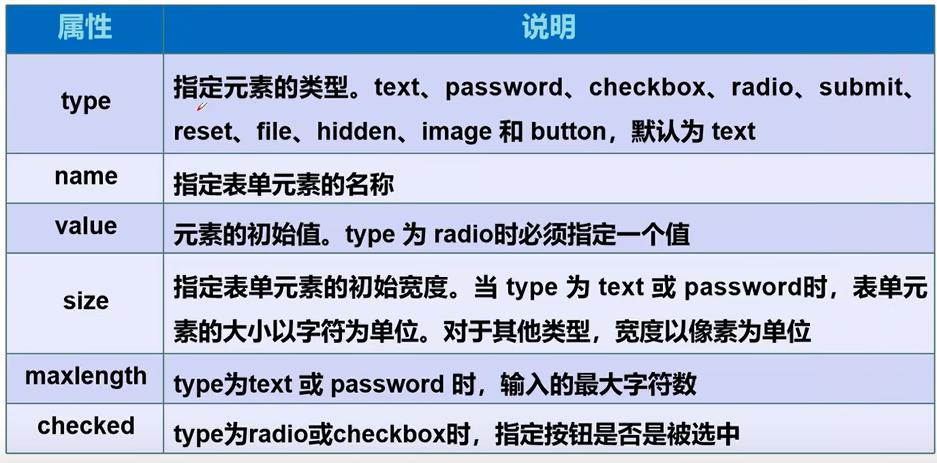
name属性就是提交接受的参数
1
2
3
4
5
6
7
8
9
10
11
12
13
14
15
16
17
18
19
20
21
22
23
24
25
26
27
28
29
30
31
32
33
34
35
36
37
38
39
40
41
42
43
44
45
46
47
48
49
50
51
52
53
54
55
56
57
58
59
60
61
62
63
64
65
66
67
68
69
70
71
72
73
74
75
76
77
78
79
80
81
82
83
84
85
86
87
88
89
90
91
92
93
94
95
96
97
98
99
100
101
102
103
104
105
106
107
108
109
110
111
112
113
114
115
116
117
118
119
| <h1>注册</h1>
<!--表单form
action:表单提交位置,请求处理地址,或者网站
method:提交方式
maxlength:限定文本长度
value:初始值
seze:文本框长度设置
-->
<form action="text.html" method="get">
<!-- 文本输入框:-->
<p>名字: <input type="text" name="username"></input> </p>
<!-- 密码框-->
<p>密码: <input type="password" name="password"></p>
<!-- 单选框
radio
value:单选框的值
name:表示组,在同一组就只能单选,会提交在一个数组
checked:默认选中
-->
<p>性别:
<input type="radio" value="boy" name="sex">男
<input type="radio" value="girl" name="sex">女
</p>
<!-- 多选框
checkbox
checked:默认选中
-->
<p>爱好:
<input type="checkbox" value="sleep" name="hobby">睡觉
<input type="checkbox" value="game" name="hobby">游戏
<input type="checkbox" value="citywolk" name="hobby">散步
<input type="checkbox" value="code" name="hobby">代码
</p>
<!-- 按钮
image:图片按钮
buttom:普通按钮,没有添加就没有功能
submit:提交按钮
reset:重置按钮
-->
<p>按钮
<input type="button" name="btn1" value="点击提交">
<!-- <input type="image" src="../resource/image/123.jpg">-->
</p>
<!-- 下拉框,列表框
select:默认值
-->
<p>国家:
<select name="列表名称" id="">
<option value="选项的值">中国</option>
<option value="选项的值">美国</option>
<option value="选项的值">日本</option>
<option value="选项的值" select>英国</option>
</select>
</p>
<!-- 文本域
可以键入内容
name:一般不推荐中文
-->
<p>反馈:
<textarea name="text" id="1" cols="30" rows="10">文本内容</textarea>
</p>
<!-- 文件域-->
<p>文件
<input type="file" name="files">
<input type="button" value="上传" name="upload">
</p>
<!-- 邮件验证 验证@符号-->
<p>邮箱:
<input type="email" name="email">
</p>
<!-- url验证
number:数字验证
<input type="email" name="email">
-->
<p>数字:
<input type="number" name="num" max="100" min="0" step="10">
</p>
<!-- 滑块-->
<p>音量:
<input type="range" name="voice" min="0" max="100" step="1">
</p>
<!--搜索框-->
<p>搜索:
<input type="search" name="search">
</p>
<!--增强鼠标可用行
点击文本跳转到位置,例如文本框内
-->
<p>
<label for="mark">点击</label>
<input type="text" name="mark" id="mark">
</p>
<!--提交-->
<p>
<input type="submit">
<input type="reset">
</p>
</form>
|
各种验证以及提交方式
input标签里面加上readonly,选项文本加上disable,就是只读
hidden:属性在但是没有框,用于传递默认值
效果:
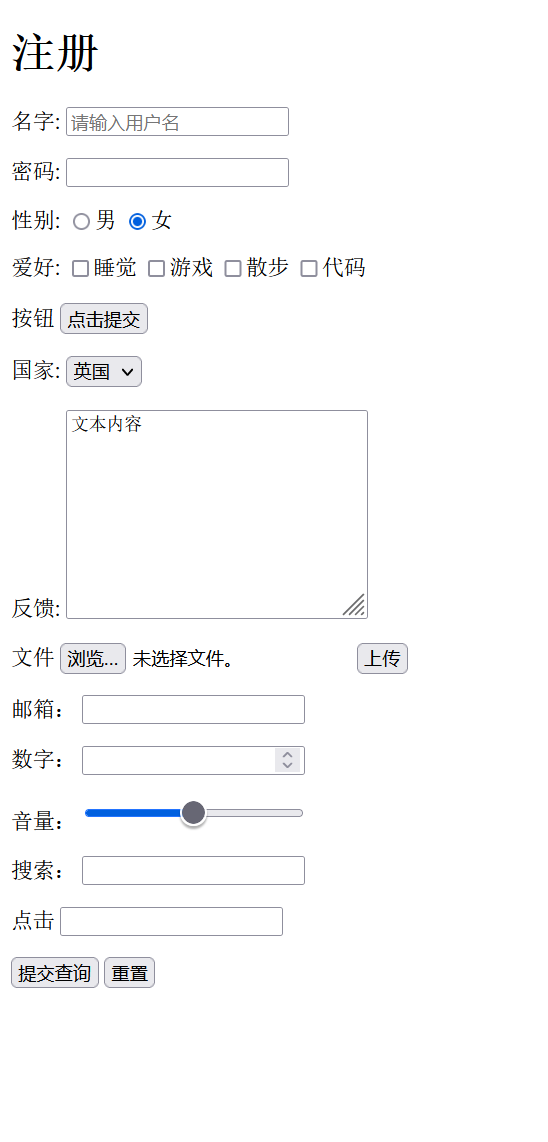
表单的初级验证
placeholder:效果
required:不能为空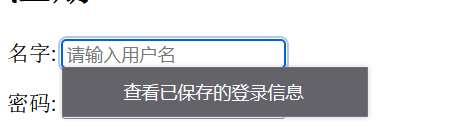
pattern:正则表达式
CSSCSS的ID选择器和class选择器一、ID选择器和Class选择器的区别
1、一个HTML标签只能应用于一个ID选择器
2、一个HTML标签可以应用多个class选择器
3、ID选择器是以“#”开头,并且只能在单个元素使用
4、Class选择器是以“.”开头,可以多个元素应用,中间用“,”隔开
1
2
3
4
5
6
7
8
9
10
11
12
13
14
15
16
17
18
19
20
| <!DOCTYPE html>
<html>
<head>
<meta charset="utf-8">
<title>ID选择器(runoob.com)</title>
<style>
#para1
{
text-align:center;
color:red;
}
</style>
</head>
<body>
<p id="para1">Hello World!</p>
<p>这个段落不受该样式的影响。</p>
</body>
</html>
|

就有点类似于一种变量类型,一个是id类型一个是class类型
可以特指某个元素使用class,其他元素不受影响1
2
3
4
5
6
7
8
9
10
11
12
13
14
15
16
17
18
19
20
| <!doctype html>
<html>
<head>
<meta charset="utf-8">
<title>class选择器</title>
<style>
p.center
{
text-align:center;
}
</style>
</head>
<body>
<h1 class="center">这个标题不受影响</h1>
<p class="center">这个段落居中对齐。</p>
</body>
</html>
|

来源: https://www.yuque.com/guansuanbangzhuangganjun/oxmbxg/ls5pe63bpmz9x4zm
语雀文档ID: 137387760
|